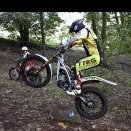
January 19, 20197 yr I got a trs gold 280 . Have to say what a bike the front brake is mental suspension just floats over obsticals .. I had 280 rr before but have to say this gold as got a lot more punch mid throttle than that .. What do any of you owners think about them ? What gearing are you running etc ?i Got to say best looking bike out there ?????
January 19, 20197 yr Sounds just like my Gasser (which is the best looking bike out there) but the 2019 Gas Gas GP is coming soon which I reckon will float like a butterfly. I've seen a few of them TRS machines about. They seem to stall a lot. The Gold looks good though chap
January 20, 20197 yr really nice bike to ride the TRS, not sure the gold model is the best looking bike out there though but everyone to their own. I believe the front brake is very good and the 19 gasgas GP will have the same brake, does anyone know if this is the case?
January 20, 20197 yr Author 14 hours ago, hanks said: Sounds just like my Gasser (which is the best looking bike out there) but the 2019 Gas Gas GP is coming soon which I reckon will float like a butterfly. I've seen a few of them TRS machines about. They seem to stall a lot. The Gold looks good though chap Tbf first outing I did have 2 stalls ? not the bikes fault . And yes yours WAS the best looking bike ??


Join the conversation
You can post now and register later. If you have an account, sign in now to post with your account.