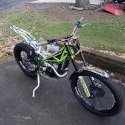
April 3, 200620 yr Well here is what I am looking for, What is the right plug for this bike??? I have gotten diffent answer and no one here seems to know!!!!! Help Please!!!
April 3, 200620 yr Author Thanks Big John I will look agian but all I could fine on Ryan Youngs webpage was the gap no plug #.
April 4, 200620 yr Go here on Ryan's site http://www.shercousa.com/content2.cfm?action=6 wanted to start there because it takes you to a world of info. Tech Tips will tell you the plug, along with a lot of other good base information. All your parts manuals are on the other links. Directions and instructions with circles and arrows and diagrams on how to do about 98% of the stuff done on a bike on the other links. And to top it off, Ryan's 1-800-607-8742 number right on the top of almost all pages that say's call me if you have a question. Wayne Thaise is regularly here to help as well, and Ryan can always be reached at the 1-800-607-8742 or through e-mail. ryan at rypusa.com There is also a BB there to answer some of your more Sherco specific tech questions. Hope that helps you find the answers to any questions that pop up.
April 4, 200620 yr all the new bikes are so good as to be about interchangeable. ryans business model, service and support information, parts views, manual information, all on the web, makes a huge difference. k


Join the conversation
You can post now and register later. If you have an account, sign in now to post with your account.