July 2, 200620 yr The 125 is a very sweet little bike, rode two club events on it just for the fun factor, best 125 I have ridden by far. Got the upgrade start kit for the 3.2 today, so spent all day fitting that and doing some mod's, **** canned the rear brake res, and replaced with the clear tube, mounted the new coil in the same place the ign module was mounted (down frame right side of cylinder head, then made a bracket and mounted the ign module under the carb like the 06's, bike is very easy to start, should be easy enough for the limp knee club now. Purchased a new head pipe to take in and get Ceramic coated, but that will take a week before I have that on for testing. The 125 may get a stay of execution some local kid really wants it bad, and now the 3.2 is easy enough for the majority to start, should sell ok and just buy a 06/7 3.2. Cope, the V-mar clamp was measured up and made for the Sherco.
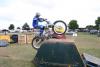
July 8, 200620 yr So Ishy I see you're a master with Photoshop as well as the wrenches? Have you added any water to the front tyre to keep it on the deck?
July 8, 200620 yr Ish, I seen some other nice stickers for thi wheels, with purple,and blue, and red and green, orange and yellow!
July 8, 200620 yr I don't need any swing arm protectors, some nice fellow took care of that at the world round Trial this weekend, see if I can keep that front end on the floor


Join the conversation
You can post now and register later. If you have an account, sign in now to post with your account.