


chrisedwards
Members
-
Joined
-
Last visited
Everything posted by chrisedwards
-

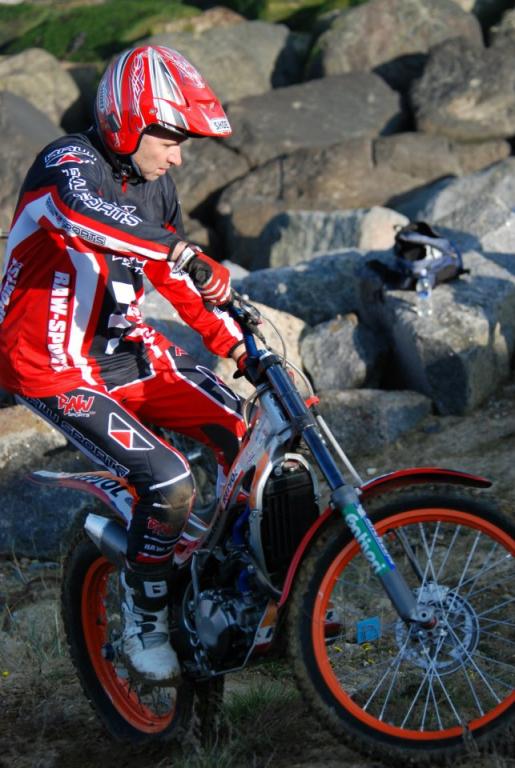
From the album: The Trials Park
-

From the album: The Trials Park
-

From the album: The Trials Park
-

From the album: The Trials Park
-

From the album: The Trials Park
-

From the album: The Trials Park
-

From the album: The Trials Park
-

From the album: The Trials Park
-

From the album: The Trials Park
-
Thanks Jimmy, a great reply and appreciated
-
Would be very keen to know : 1: what do the 4RT community consider to be a good all round sprocket set up ? 2: It appears an S3 280 conversion kit is a straight "bolt on and ride" without having to do any extra machining work to cranks and cases etc. I am very tempted to buy one as I feel it may give extra talky power of the bottom , right or wrong ? I am an ageing expert that still likes to have a go but feel sometimes my 250 is a bit weak when pulling a higher gear from short approaches. Lowering the gearing , i.e.: 43 on the rear made it manageable in technical areas but I felt all gears were to short. My bike currently has a mitani clutch and exhaust system and I am lead to believe is running a Sans setting. Rear sprocket is a 41. Look forward to hearing experienced views on these subjects Chris

-
Fairly new to Montesa world and to 4T world so not entirely sure what the standard plug should look like on examination. I have a Repsol 250 with a single programable body running a Liar Sanz setting, my tick over is pretty standard ( ie: higher than a 2T ) Everytime I have taken the plug out to check it's been sooted up with a fine carbon dust, the bike runs really well and runs out very very clean but could any 4RT gurus tell me should my plug be this colour ? ChrisIn a quest to save weight on my 4RT I have considered un-plugging the bank sensor and removing it, will it still run though ?

Account
Navigation
Search
Configure browser push notifications
Chrome (Android)
- Tap the lock icon next to the address bar.
- Tap Permissions → Notifications.
- Adjust your preference.
Chrome (Desktop)
- Click the padlock icon in the address bar.
- Select Site settings.
- Find Notifications and adjust your preference.
Safari (iOS 16.4+)
- Ensure the site is installed via Add to Home Screen.
- Open Settings App → Notifications.
- Find your app name and adjust your preference.
Safari (macOS)
- Go to Safari → Preferences.
- Click the Websites tab.
- Select Notifications in the sidebar.
- Find this website and adjust your preference.
Edge (Android)
- Tap the lock icon next to the address bar.
- Tap Permissions.
- Find Notifications and adjust your preference.
Edge (Desktop)
- Click the padlock icon in the address bar.
- Click Permissions for this site.
- Find Notifications and adjust your preference.
Firefox (Android)
- Go to Settings → Site permissions.
- Tap Notifications.
- Find this site in the list and adjust your preference.
Firefox (Desktop)
- Open Firefox Settings.
- Search for Notifications.
- Find this site in the list and adjust your preference.