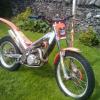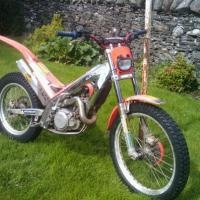
txt270
Members
-
Joined
-
Last visited
-
thats_a_five - ''your 2010'' has cable brakes???? thats what i thought. :S ..surely hydraulic... with mineral oil im sure (mine is pre-pro and filled with trust dot rated fluid)
-
should be simple mate. when i work on brakes, i have a syringe (identical to the one i measure my oil for fuel in)... with a bit of plastc piping that joins between the bleeding nipple and the syringe. i use this for reverse bleeding when refilling with brake fluid. much better results for my bike. heres the link for the manual for your bike. makes work easier. http://www.gasgasmotos.es/en/manuals/2.html Good luck bud had a look at your picture of it and looks like a tidy bike
-
phone gas gas uk i have a the same bike but a year newer
-
Hi guys, need some advice, bike is a 1999 txt270 and my "L" cylinder hose burst when i was out the other day.. had a look to find a set online and for that model of bike it proves impossible.. my question is will a hose set for a 1999 txt321 gas gas fit? i have found this set online and wondered if the L hose will fit mine.. .. same year bike just mines is a 270 instead of a 321.. http://racebikebitz....it#!prettyPhoto[gallery]/0/ Doing a restoration on the bike and was the day after i fitted a new s3 piston kit in the bike that this happened Thanks guys