Skip to content
View in the app

A better way to browse. Learn more.

Trials Central

A full-screen app on your home screen with push notifications, badges and more.

To install this app on iOS and iPadOS
  1. Tap the Share icon in Safari
  2. Scroll the menu and tap Add to Home Screen.
  3. Tap Add in the top-right corner.
To install this app on Android
  1. Tap the 3-dot menu (⋮) in the top-right corner of the browser.
  2. Tap Add to Home screen or Install app.
  3. Confirm by tapping Install.

m4rt280

Members
  • Joined

  • Last visited

Everything posted by m4rt280

  1. m4rt280 replied to warby beta's topic in Montesa
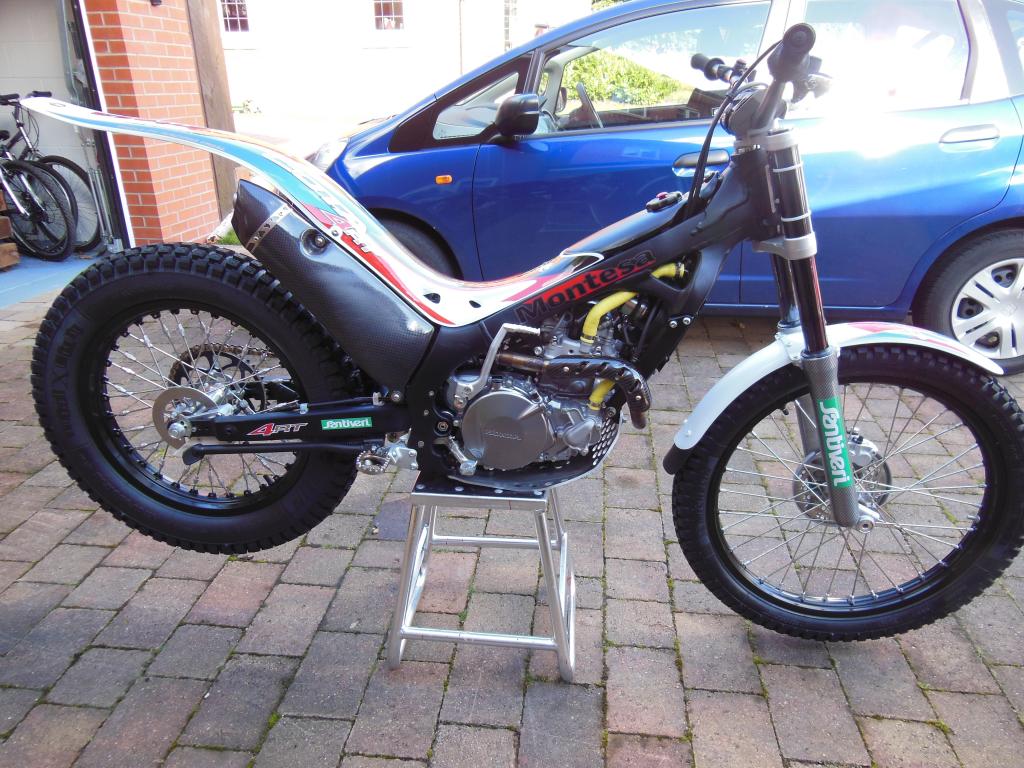
    I bought a new 2012 280 last February and love it. I've spent a small fortune on it but the biggest single improvement has been the full Termignoni exhaust which has unleashed the power/torque as well as making a fantastic sound. Expensixe but worth it.
  2. My future trial 280 with full Termignoni
Account

Navigation

Search

Search

Configure browser push notifications

Chrome (Android)
  1. Tap the lock icon next to the address bar.
  2. Tap Permissions → Notifications.
  3. Adjust your preference.
Chrome (Desktop)
  1. Click the padlock icon in the address bar.
  2. Select Site settings.
  3. Find Notifications and adjust your preference.