

Skip to content
View in the app

A better way to browse. Learn more.

Trials Central

A full-screen app on your home screen with push notifications, badges and more.

To install this app on iOS and iPadOS
  1. Tap the Share icon in Safari
  2. Scroll the menu and tap Add to Home Screen.
  3. Tap Add in the top-right corner.
To install this app on Android
  1. Tap the 3-dot menu (⋮) in the top-right corner of the browser.
  2. Tap Add to Home screen or Install app.
  3. Confirm by tapping Install.

tonnee

Members
  • Joined

  • Last visited

  1. Images added to a gallery album owned by tonnee in TC Members Events Photos
  2. tonnee replied to tonnee's topic in Beta
    Cheers for the advice :-) More dumb questions to come soon from me
  3. tonnee posted a topic in Beta
    Hi All As a total beginner to Trails I have got myself a second hand Rev 3 2001 I have noticed that there is a bit of play on both the front and rear discs, they move around 2 mm side to side where they are bolted to the wheels Is this normal, all the bolts are done up tight but they still have a bit of play ? Cheers for the advice Rgds Tony
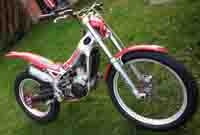
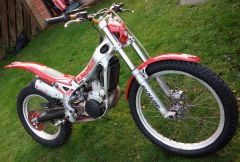
  4. Hi All Just got my first bike today a 2002 Beta Rev 3, never done Trials before only ever had road bikes. Git it stripped down already for a good clean and service Looking forward to getting out on it soon Cheers Tony
Account

Navigation

Search

Search

Configure browser push notifications

Chrome (Android)
  1. Tap the lock icon next to the address bar.
  2. Tap Permissions → Notifications.
  3. Adjust your preference.
Chrome (Desktop)
  1. Click the padlock icon in the address bar.
  2. Select Site settings.
  3. Find Notifications and adjust your preference.