Skip to content
View in the app

A better way to browse. Learn more.

Trials Central

A full-screen app on your home screen with push notifications, badges and more.

To install this app on iOS and iPadOS
  1. Tap the Share icon in Safari
  2. Scroll the menu and tap Add to Home Screen.
  3. Tap Add in the top-right corner.
To install this app on Android
  1. Tap the 3-dot menu (⋮) in the top-right corner of the browser.
  2. Tap Add to Home screen or Install app.
  3. Confirm by tapping Install.

craig1

Members
  • Joined

  • Last visited

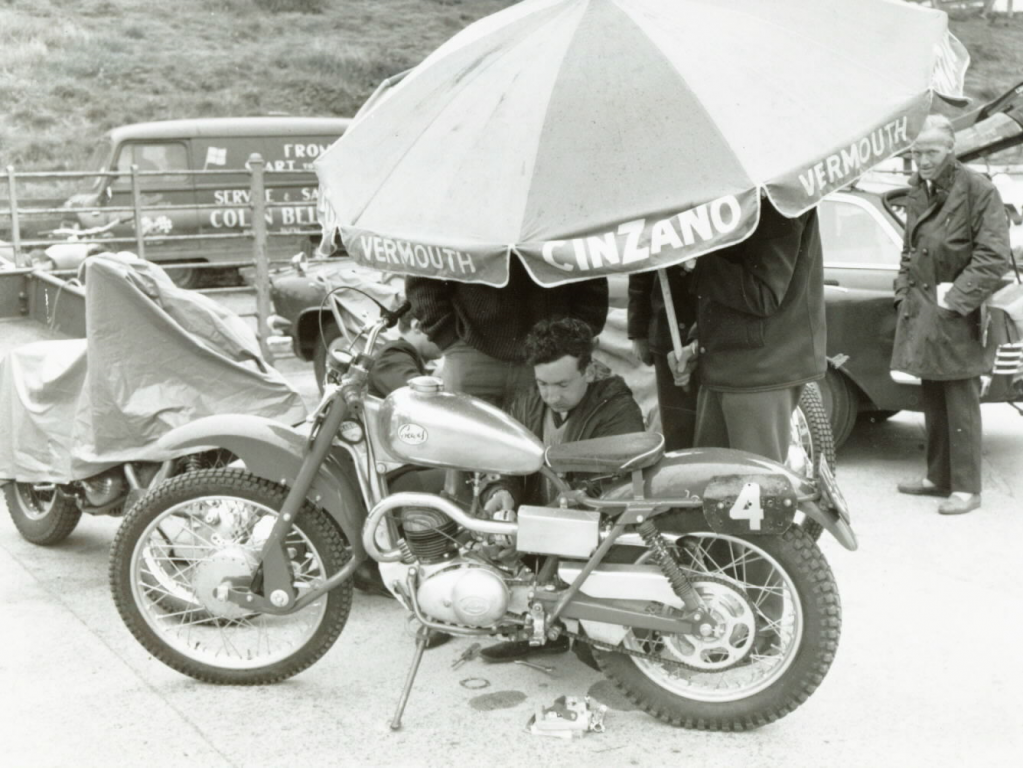
  1. advertised all over inc OBM , greeves owners etc . not a word ? what happened and where has this bike been ? its a mystery
  2. i would love to see it , i have works dispatch and essex confirmation of registration to invacar (greeves) but need more suporting evidence for restoration and dvla etc , i am 95% sure this is the bike , a pic is the final part for me . thanks
  3. that is my understanding but cannot find a pic of anyone riding this machine ? which I think is odd
  4. i think this maybe the bike i have
  5. thankyou and i have , my eyes are now square after 2 weeks , i have the dispatch record as a works machine but then the bike vanishes ? where did it go
  6. i am trying to recerch the history of this works bike , it may have been rode by Mr A Camron with a 150cc engine (it now has a 250cc fitted) thankyou for your help
Account

Navigation

Search

Search

Configure browser push notifications

Chrome (Android)
  1. Tap the lock icon next to the address bar.
  2. Tap Permissions → Notifications.
  3. Adjust your preference.
Chrome (Desktop)
  1. Click the padlock icon in the address bar.
  2. Select Site settings.
  3. Find Notifications and adjust your preference.