Skip to content
View in the app

A better way to browse. Learn more.

Trials Central

A full-screen app on your home screen with push notifications, badges and more.

To install this app on iOS and iPadOS
  1. Tap the Share icon in Safari
  2. Scroll the menu and tap Add to Home Screen.
  3. Tap Add in the top-right corner.
To install this app on Android
  1. Tap the 3-dot menu (⋮) in the top-right corner of the browser.
  2. Tap Add to Home screen or Install app.
  3. Confirm by tapping Install.

drew88

Members
  • Joined

  • Last visited

  1. drew88 replied to jbrownmxr's topic in Montesa
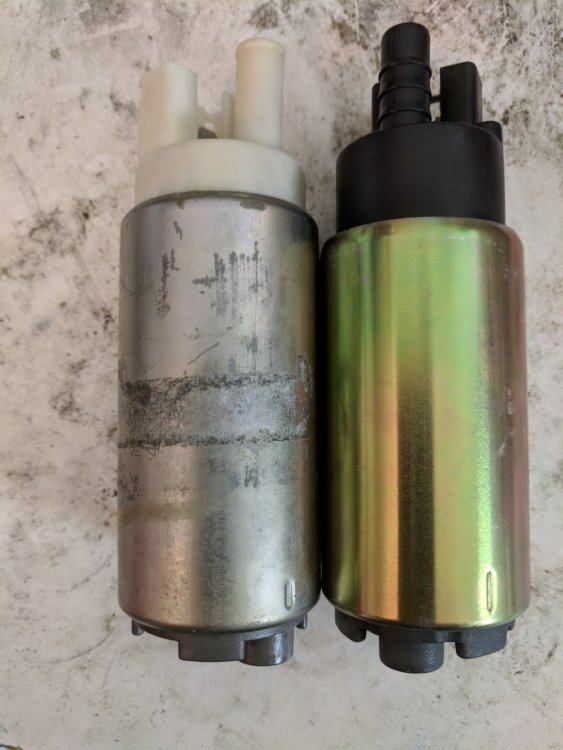
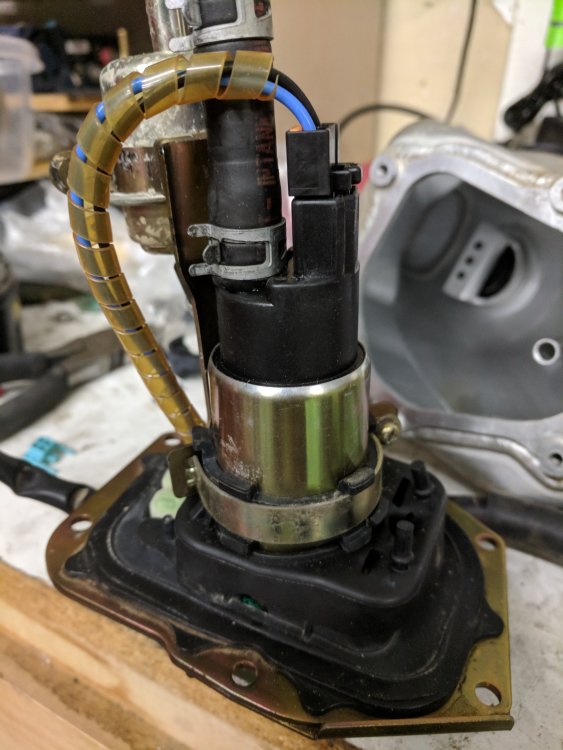
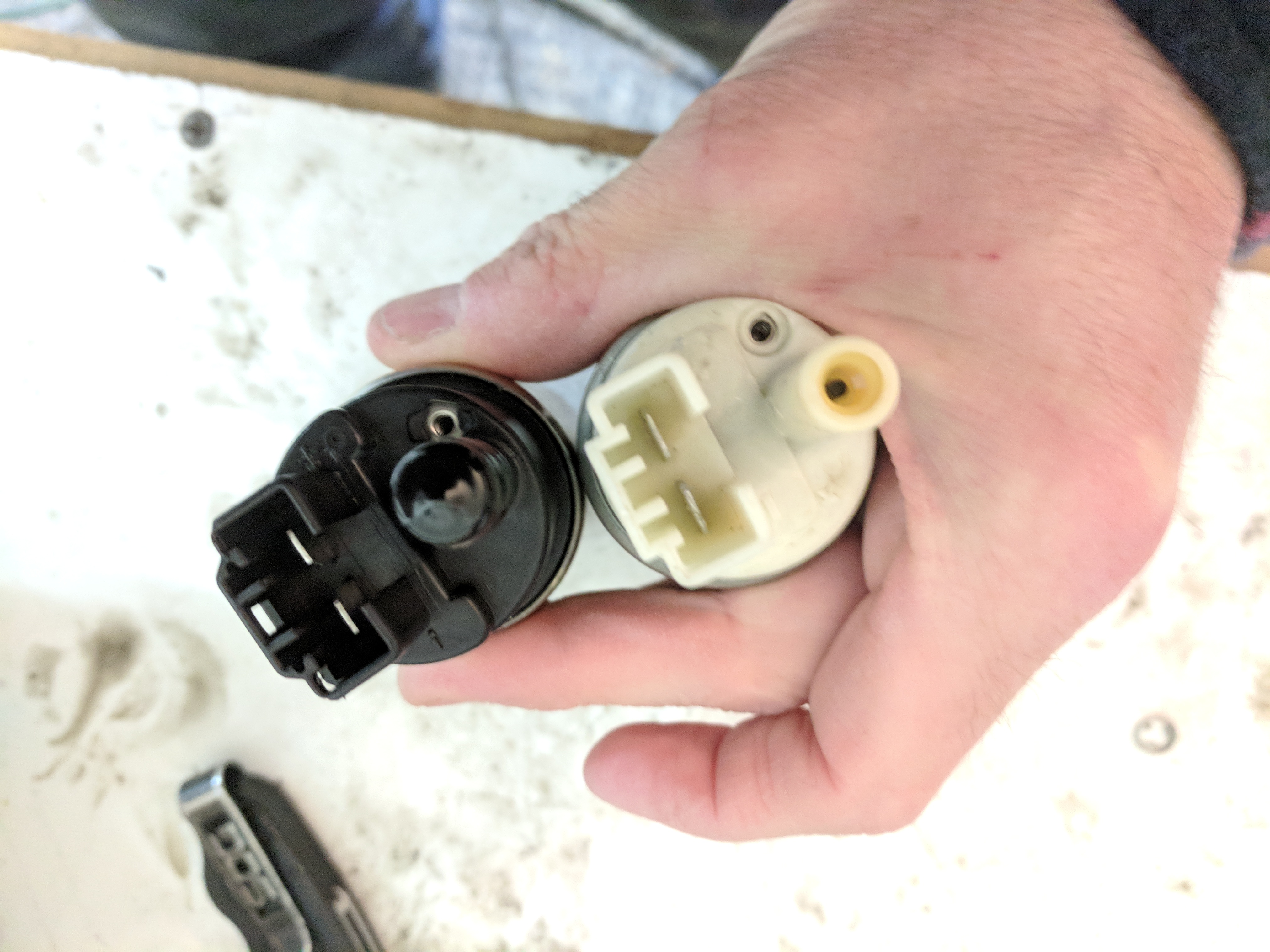
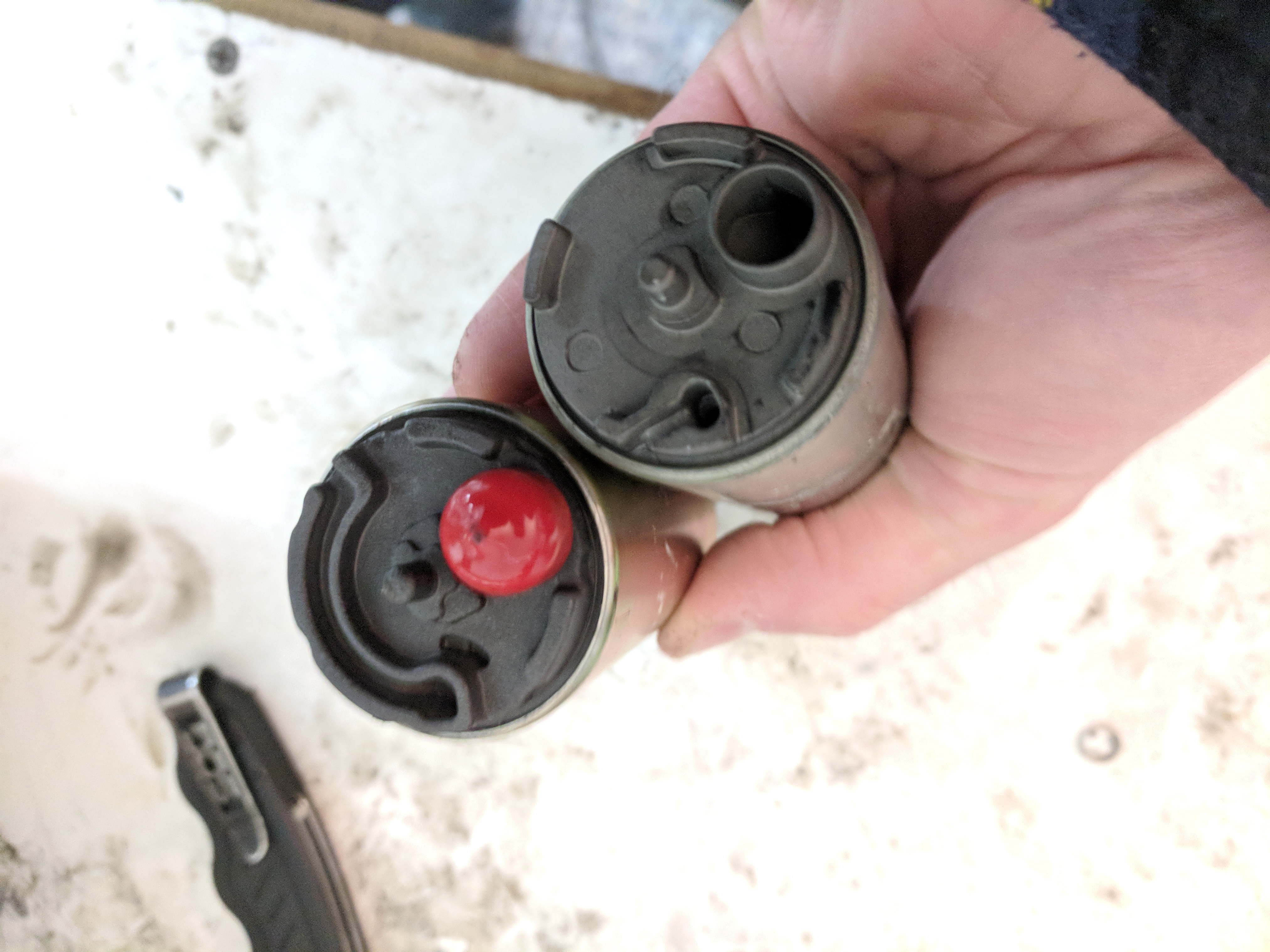
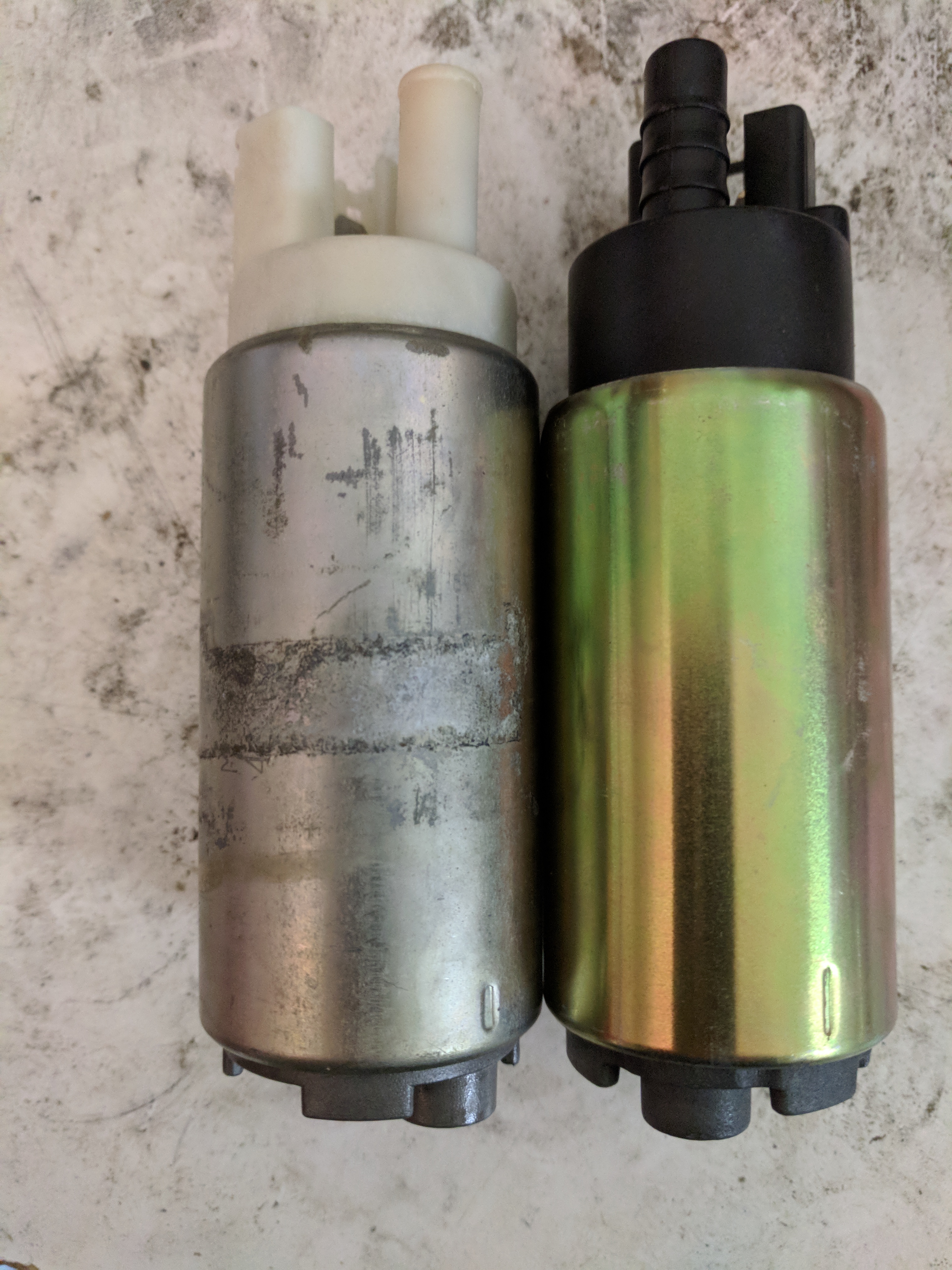
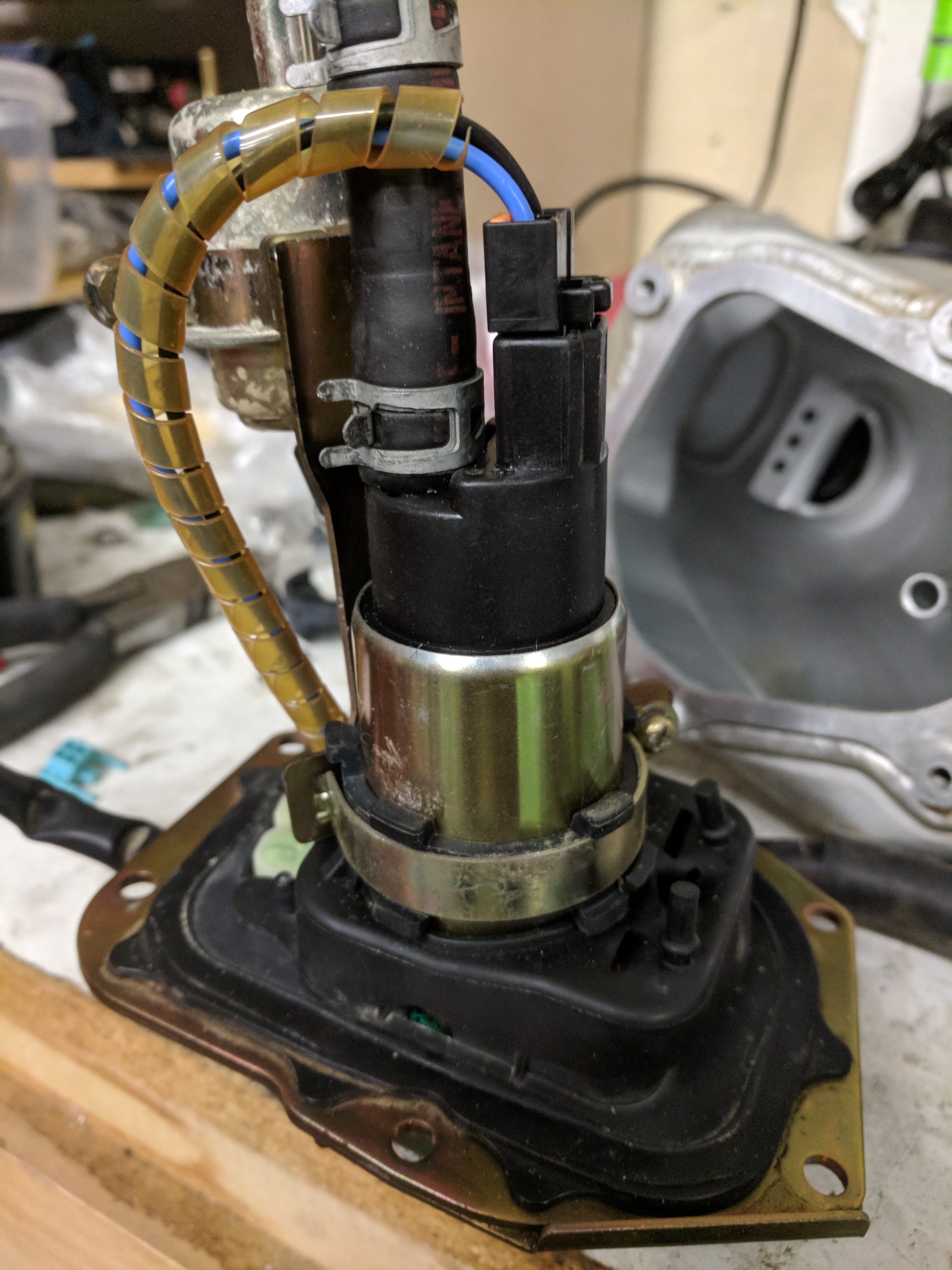
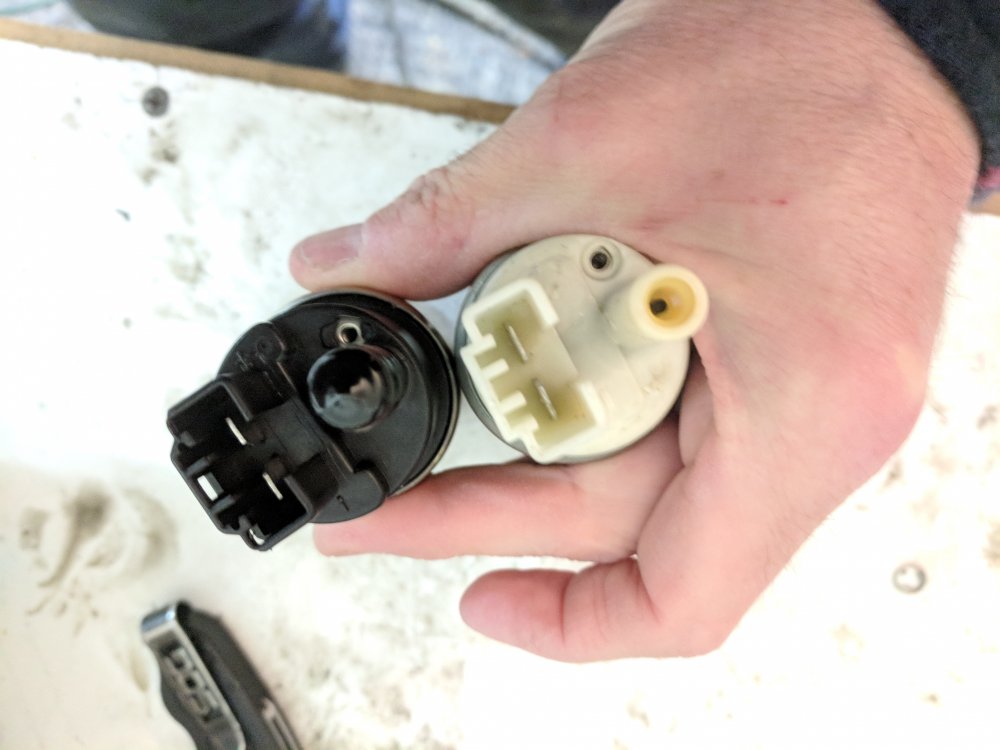
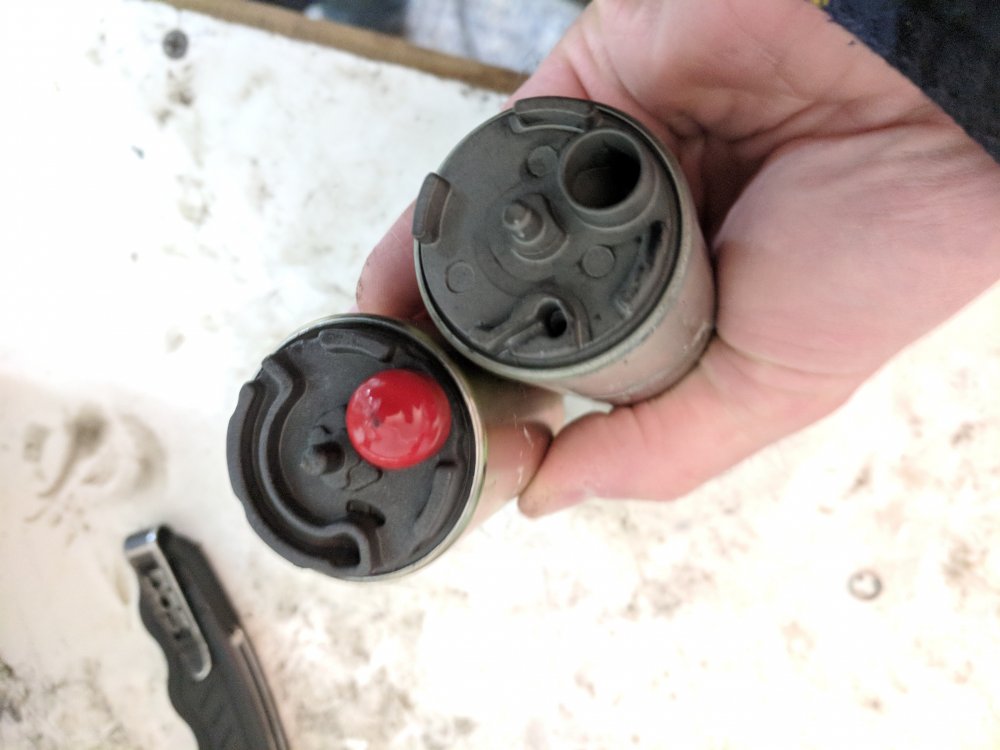
    I found this thread when I was looking for options for replacing the fuel pump on my 2005 4RT. I'd thought I'd share what I found in case it could help someone else. I figured out that the fuel pump for a 2006 Honda CBR600F4i had the same dimensions and looked like the same connector as the pump in the 4RT, so I ordered one on amazon for $17. The fuel screen that comes with it was too big, so I re-used the old one, but it all works fine. much better than spending $1000. Here's some pics of the 2 pumps side by side.
Account

Navigation

Search

Search

Configure browser push notifications

Chrome (Android)
  1. Tap the lock icon next to the address bar.
  2. Tap Permissions → Notifications.
  3. Adjust your preference.
Chrome (Desktop)
  1. Click the padlock icon in the address bar.
  2. Select Site settings.
  3. Find Notifications and adjust your preference.