

Skip to content
View in the app

A better way to browse. Learn more.

Trials Central

A full-screen app on your home screen with push notifications, badges and more.

To install this app on iOS and iPadOS
  1. Tap the Share icon in Safari
  2. Scroll the menu and tap Add to Home Screen.
  3. Tap Add in the top-right corner.
To install this app on Android
  1. Tap the 3-dot menu (⋮) in the top-right corner of the browser.
  2. Tap Add to Home screen or Install app.
  3. Confirm by tapping Install.

Kytey

Members
  • Joined

  • Last visited

  1. Kytey changed their profile photo
  2. Kytey replied to scottishsteve's topic in Beta
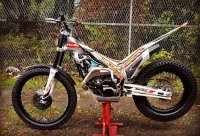
    Nice one Scottishsteve hope the replacement is better, I never had a problem with my 2012 evo 250 petrol cap but this 2018 model is bad, I also noticed that my lower airbox plug just spins and I can't get it off all ?
  3. Kytey replied to scottishsteve's topic in Beta
    Me and another person I know who has the evo 2018 are having problems with the plastic cap, I have had to cut a few threads off the bottom of the cap for it to sit better and less threads to do up or I would have never got it back on , I might take a trip to my dealer or phone them after Christmas to see what they will say about the issue.

Account

Navigation

Search

Search

Configure browser push notifications

Chrome (Android)
  1. Tap the lock icon next to the address bar.
  2. Tap Permissions → Notifications.
  3. Adjust your preference.
Chrome (Desktop)
  1. Click the padlock icon in the address bar.
  2. Select Site settings.
  3. Find Notifications and adjust your preference.