February 9, 200719 yr Author No chance to go out for a play on the bike today either ground conditions not good here at all. Dad came over this afternoon and looked gutted said he had been praying for bright sunshine and 90 degree temps for last night but it never happened, just have to go out three times next week now. Trial may be off for Sunday as well but keep hoping the weather will change tomorrow, cant beleive it but i am really hoping it pours down with rain tomorrow and clears the white stuff away
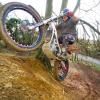
February 9, 200719 yr Tried riding the trials bike on the road today, brilliant until I tried to dab at 30 miles and hour and ended up pointing the wrong way! Went back on got the DRZ, at least you can put both feet down at the same time and still stay on!
February 10, 200719 yr Are you in upstate NY? Yes I am. The snow in that region has reached eight foot as of this post.


Join the conversation
You can post now and register later. If you have an account, sign in now to post with your account.