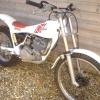
June 5, 200818 yr TY250 Mono Normally starts 1st or 2nd kick, been stood for a few weeks. Started no problem on Tuesday, came to start yesterday - no joy. Checked good spark and fuel getting through. Ive had the carb off and blown through with an airline - no gunge in float bowl. Only thing I can think of is that the fuel has gone off. If I dip the plug in some fuel drained from tank and light with a cig lighter it burns. If I remove wet plug from bike it will not burn??? Can anyone help please - its doing my head in. Thanks in advance
June 5, 200818 yr First step i would take is a new plug or dry your old plug out with a air line. Still no joy, then put some fersh petrol with a clean DRY plug. see how that goes.
June 5, 200818 yr Fresh fuel is the key in this case I think. I have been fooled into thinking that fuel I mixed last week would be good for this week. think about what has changed since you last started the bike, have you adjusted the timing, no,then what ? Peter
June 5, 200818 yr Hi - a good spark in air may not be very good under pressure in the engine. therefore try a new plug - this should eliminate one thing. If still no joy then it must be fuel quality or possibly fuel contamination (with water?) Is ther any chance water could have got into the crankcase?


Join the conversation
You can post now and register later. If you have an account, sign in now to post with your account.