March 9, 201016 yr I'm hopefully picking a bike up on friday and I'm in a rush to get a tow bar as I can lend a trailer for now but my eyes are on a dave cooper rack for future reference. What sort of mounting is it that they use? From what i understand, you dont need a tow ball as it bolts to where the tow ball usually bolts to. Would this do? And would I need extra support brackets as though I'm pulling a trailer due to alot of weight being over the bracket? http://cgi.ebay.co.uk/NEW-Towbar-fits-Citr...=item1e58a9b674 ********** Nothing much, contacted Dave? And he explained what I needed and suplied me with added extras just to make sure I wasnt lookign around for stuff once I recieved my tow bar and rack. Edited March 9, 201016 yr by jonnybmac
March 9, 201016 yr this should be ok but it will be better with a tow ball aswell, as when you tighten the bolts they may squash the box section the rack is made from. the tow ball will spread the pressure a bit more. i use a rack frequently on a citroen picasso to carry a twinshock swm and a honda xlr trail bike both have been fine.
March 9, 201016 yr Author I ended up purchasing a full set which included the ball and electrics, Just to make sure.
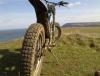
March 11, 201016 yr Author 2005 Sherco 290. Bought it from a shop. Go pick it up tomorrow. Got it for Edited March 11, 201016 yr by jonnybmac


Join the conversation
You can post now and register later. If you have an account, sign in now to post with your account.