March 20, 201214 yr Hi as the title says i would like to change my brake pedal from the current LHS to the RHS on my FB. My other bike is RHS brake and i feel much more comfortable and balanced this way. so im planning on running a cable through from the RHS to get back to the LHS to operate it. Theres a picture of Norman Shepherd on the yorkshire site members photo and he has this setup, but i just wondered what the setup was like on the opposite side of the bike. the plan is to maybe weld a block on LHS at rear, tap it, and then use a cable stop adjuster like you get in the universal clutch/brake cable kits. Anyone have any ideas or guidance what to do or more importantly not to do? thanks..
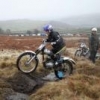
March 20, 201214 yr one enterprising lad at yarkshire classic ( he lives in lancashire though..) has a brake on both sides of his cub!
March 23, 201214 yr Wow not struck on the tank and hardly scottish legal but when it's finished i bet that makes a tidy bike. Is it yours?
March 23, 201214 yr Wow not struck on the tank and hardly scottish legal but when it's finished i bet that makes a tidy bike. Is it yours? No, not mine, the frame is one of a short run. I had saved the pic. Obviously the tank is a slave item to run the bike....
March 28, 201214 yr one enterprising lad at yarkshire classic ( he lives in lancashire though..) has a brake on both sides of his cub! As the enterprising lad I would if I new how to put a picture on the forum i would. The reason the brake is on both side is the way I did it, it still needed part of the old brake lever to work so I just left the whole thing in place.Jack


Join the conversation
You can post now and register later. If you have an account, sign in now to post with your account.