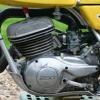
August 25, 201214 yr Hi guys I found this picture when searching in Google Can someone tell me anything about this bike please http://www.trialscentral.com/forums/gallery/image/1743-works-ty/
August 26, 201214 yr http://www.yamaha-motor.co.jp/global/about/cp/ it's in the yamaha museum not too sure it's "works" more like an example of early ty to complete the collection.
August 26, 201214 yr That bike has similarities to the bike ridden by Mick Andrews' Japanese (Yamaha employee) riding companion in the 1975 SSDT (kickstart shape, tank graphics and top shock mount location) There are also differences - the bike in the SSDT photos has strange extended fork tops and a standard TY250 exhaust heat shield SSDT photos courtesy of Peter Paice (Mick Andrews' Aussie riding companion in the 1975 SSDT) Edited August 26, 201214 yr by feetupfun
August 27, 201214 yr Author Thanks for the info and especially those very interesting photos Where are those photos from - a book or magazine ?
August 28, 201214 yr Hi guys I found this picture when searching in Google Can someone tell me anything about this bike please http://www.trialscen.../1743-works-ty/ Hi, I think it's the bike of the young 19 year old Haruo Kimura who became the first All Japan trial Champion with his TY250 as you can read (with glasses) "H.KIMURA" under the number one on the bike
August 28, 201214 yr Thanks for the info and especially those very interesting photos Where are those photos from - a book or magazine ? the photos are "SSDT photos courtesy of Peter Paice (Mick Andrews' Aussie riding companion in the 1975 SSDT)" ie they were taken by one of the riders (Peter Paice) and have not been published in a magazine or a book Edited August 28, 201214 yr by feetupfun


Join the conversation
You can post now and register later. If you have an account, sign in now to post with your account.