January 9, 200422 yr Did I read that someone has had a 250 sleeved down to a 200? I'd like some info in this, please!! Who can do this or is a kit available? Mick USA
January 10, 200422 yr I have heard of this being done on TY's, putting a 250 top on a 350 case, although I never had a clear understanding of the benefits. Something to do with larger flywheel/smaller piston = more grip?????? In this case, simply buying a 200 would not give the benefit, right? What is the theory? BTW, you should be able to buy a 200 top end kit from RYP that will bolt on directly.
January 10, 200422 yr Try contacting Wayne Thais through the RYP website. I'm pretty sure, though, that the top ends are interchangeable. Isn't trials an amazing motorsport? Everybody's always trying to make their bike slower!
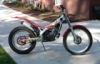
January 11, 200422 yr Author Because the 250/290 stroke is 9.4mm longer than the 125/200, it can not swapped one for one with a 250/290. If a 9.4mm base spacer could be used, the 200 topend/piston could be used to give 192cc. But I don't know if the port timing would match? This would be a great mod if it would work! I'm not going to purchase a new bike, and would like to have a "192" Sherco if if would work out and I'd also have the 250 topend also. Why, just because and viva la differance! Yes, I could sell my bike and buy a used 200,,,,,,,,? Mick


Join the conversation
You can post now and register later. If you have an account, sign in now to post with your account.