Skip to content
View in the app

A better way to browse. Learn more.

Trials Central

A full-screen app on your home screen with push notifications, badges and more.

To install this app on iOS and iPadOS
  1. Tap the Share icon in Safari
  2. Scroll the menu and tap Add to Home Screen.
  3. Tap Add in the top-right corner.
To install this app on Android
  1. Tap the 3-dot menu (⋮) in the top-right corner of the browser.
  2. Tap Add to Home screen or Install app.
  3. Confirm by tapping Install.

What Is This?

Featured Replies

I found this parked in a bush outside Arusha in Tanzania!

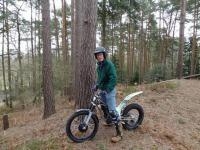
I'm down here with my Ossa looking for some good places to ride!

  • Author

post-16129-0-12961100-1411799906_thumb.jpg

I hope the picture shows up...

247 Montesa - trail version with the big seat !!!!

Take it home and give it some tlc!!!!

The Wobbler

Mate! I'd have that as garden art!

Under cover in a cactus rock garden or just a good gravel and rocked area with the bike angled up on a boulder. Make a man out of steel tube and place on it.

Mags

Join the conversation

You can post now and register later. If you have an account, sign in now to post with your account.

Guest
Reply to this topic...

Account

Navigation

Search

Search

Configure browser push notifications

Chrome (Android)
  1. Tap the lock icon next to the address bar.
  2. Tap Permissions → Notifications.
  3. Adjust your preference.
Chrome (Desktop)
  1. Click the padlock icon in the address bar.
  2. Select Site settings.
  3. Find Notifications and adjust your preference.