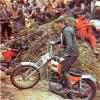
October 23, 201610 yr ... has been an accomplished road racer for many years and has now taken to a bit of trialling. He's loving the classic stuff, we took a 350 OSSA and a newish Gas Gas today for a play. Here he is testing the strength of his ribs.....???
October 24, 201610 yr The '' film '' show what the photograph take. I know I'm a poor photographer Guy
October 25, 201610 yr Author I know with road racing, at places like 'Paddock Bend' at Brands Hatch it's like dropping off a mountain side but when seen on film/photograph it's a gentle slope. Same goes for the Mountain at Cadwell Park. The section we set up on Sunday was almost a rock face but on film it looks like a bit of a gradient....
October 25, 201610 yr Looks fun. Fired my Ossa up for the first time yesterday. Still not finished, but at least I know it runs. :-)
October 25, 201610 yr Author Get yourself up here for a day with me and Andy...... his ribs should be OK by the time you're all sorted.
October 31, 20169 yr Author Here's another clip of Andy, taken yesterday. He's demonstrating the quick method of removing the tank and seat from my wife's Beta....
November 11, 20169 yr The videos you take would show much better if you turned your phone sideways before you start filming. That way they will fill the screen instead of leaving the black bars at the side and we'll get to see the action better.


Join the conversation
You can post now and register later. If you have an account, sign in now to post with your account.