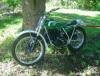
July 11, 20179 yr The Braintree and District MCC purchased 3 OSET bikes at the end of last year. These bikes have been used to promote Trials and we have been running events once or twice a month getting youngsters to try out Trials. This has been our attempt to promote Trials and get youngsters to take up the sport and the results so far have been encouraging. Last night two of the bikes were stolen from my garage in Halstead, Essex. I suspect that who ever stole these bikes knew what they were targetting as they broke in stole the two OSETs, the spare batteries and chargers and nothing else has been touched. Essex police have been informed and as I write this I am waiting in for them to visit. Only 2 bikes were stolen as the other was currently being stored in another location. The two bikes stolen were both 2016 model year details as follows. 16.0 Racing 2016. Frame number – OSET16R5H402 20.0 Racing 2016. Frame number – OSET20R5H574 Please if any body is offered one of these bikes or has any information please let me or Essex police know. I can be contacted on 07530 470440 Stuart Penfold Edited July 11, 20179 yr by twinnshock spelling


Join the conversation
You can post now and register later. If you have an account, sign in now to post with your account.