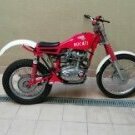
June 5, 20197 yr I’ve just purchased a Gripper and was wondering if they ever did a Workshop Manual for it, or are all the 350 engines the same bar the fact there’s no Cush drive on the mine. Also seem unable to source a piston at the moment, not taken the barrel off yet so not sure what size I need at present. Anybody got any out there? Thanks.
June 5, 20197 yr Not sure there was a workshop manual but there is a parts list that you can download from various free download sites on the net. For engine strip, the engine components and layout are the same as the MAR apart from small updates over the years to gear selector shaft and layshaft bearings which went from bushes to needle rollers. This means you can't swap the gear train from a 'bushed' gearbox to a roller gearbox and vice-versa. They look identical but there are small differences in shaft lengths and diameter. The Gripper has the clutch weight that the MAR doesn't have They have a cush drive, it's behind the clutch crank weight Pistons are very hard to get, you'll probably have to trawl the specialists in Spain or USA, I don't know of any here. The 350 MAR uses the same piston but the pins are in a different location from the Gripper so there may be issues with them fouling in the ports. I guess they could be relocated. But the 350 MAR piston is probably equally hard to find
June 5, 20197 yr Author Thanks Woody, I’ll just run her as she is until some become available, there seems a plentiful supply of 250 Gripper pistons though !!!!


Join the conversation
You can post now and register later. If you have an account, sign in now to post with your account.