

Skip to content
View in the app

A better way to browse. Learn more.

Trials Central

A full-screen app on your home screen with push notifications, badges and more.

To install this app on iOS and iPadOS
  1. Tap the Share icon in Safari
  2. Scroll the menu and tap Add to Home Screen.
  3. Tap Add in the top-right corner.
To install this app on Android
  1. Tap the 3-dot menu (⋮) in the top-right corner of the browser.
  2. Tap Add to Home screen or Install app.
  3. Confirm by tapping Install.

robin13669

Members
  • Joined

  • Last visited

Everything posted by robin13669

  1. Well this is the right place for knowledge Welcome.
  2. Try this web site it may help. http://www.analogx.com/contents/vinview.htm
  3. Hi, Back at you lost boy I hope you like it no Trials Central.
  4. Thank you boys I'm still getting used to the bike not fallen off yet (fingers X)
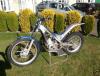
  5. I managed to get out on my bike today for a few hours this is the first time I have ridden it and it felt so alien after not riding for 28 years. I managed to get over a tree stump in the middle of the track that I use to get up to the woods. I tried a few wheelies without success but I got better by the end of the day and managed about 5Ft on the back wheel.

Account

Navigation

Search

Search

Configure browser push notifications

Chrome (Android)
  1. Tap the lock icon next to the address bar.
  2. Tap Permissions → Notifications.
  3. Adjust your preference.
Chrome (Desktop)
  1. Click the padlock icon in the address bar.
  2. Select Site settings.
  3. Find Notifications and adjust your preference.