September 1, 200620 yr With the hopping, do they(the pro's) still keep a finger on the frontbrake or do they let go of it? I find it sooo difficult to be gentle on the throttle and keeping a finger up at the brake lever.
September 1, 200620 yr With the hopping, do they(the pro's) still keep a finger on the frontbrake or do they let go of it?I find it sooo difficult to be gentle on the throttle and keeping a finger up at the brake lever. I`m by no means a good rider (crap infact!) but I personally feel real uncomfortable without a finger on both the clutch and brake! maybe it`s just a thing i`ve taken from BMX and MTB always had one finger on the brakes! Oh yeah forgot too mention I can`t do this hoping anyway but just in general need my finger on the levers! Edited September 1, 200620 yr by barrybaines
September 1, 200620 yr Author I find it a lot easier without a finger on the front brake, feels awkward to start with but gives much better feel to the throttle when you blip it
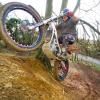
September 1, 200620 yr gasgas Some do, some don't, Just look at the photos. It makes no diffrence when hopping on the back wheel. The clutch is more important than throttle control.Well it is with me but i have only just starting to get 4 or 5 hops in on a bank.Oh and your legs are important.


Join the conversation
You can post now and register later. If you have an account, sign in now to post with your account.