March 13, 200818 yr Ross/Pazz. Do you have any free webspace from your Internet Provider? With Virgin Media here in the UK I've got 55MB that I can do what I like with. I use free FTP software from Terrapin to upload files like pictures or webpages from my computer to my free webspace. There are other ways of doing it, and I think you can do it straight from Internet Explorer, but I've always used Terrapin so I'm not familiar with them. If you then want to insert a picture on here it will ask you for the URL so you need to add the address of your picture - something like http://homepage.ntlworld.com/rosspazzfreespace/315r (you'll be able to see it in the address bar in Internet Explorer when you look at your own picture on your webspace - copy it from there and paste it into the text box asking for your URL). If you've got all the details correct your picture should then appear as if by magic on here, or anywhere else that you send the picture URL to. In summary the key is to upload your picture to some free webspace, then use the URL of your picture in the Insert Image text box.
March 13, 200818 yr Sorry pazz. Bit of morning confusion. Insert 'trialsurfer' where I've got 'pazz' in my last post.
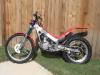
March 14, 200818 yr Ross/Pazz. Do you have any free webspace from your Internet Provider? With Virgin Media here in the UK I've got 55MB that I can do what I like with. I use free FTP software from Terrapin to upload files like pictures or webpages from my computer to my free webspace. There are other ways of doing it, and I think you can do it straight from Internet Explorer, but I've always used Terrapin so I'm not familiar with them. If you then want to insert a picture on here it will ask you for the URL so you need to add the address of your picture - something like http://homepage.ntlworld.com/rosspazzfreespace/315r (you'll be able to see it in the address bar in Internet Explorer when you look at your own picture on your webspace - copy it from there and paste it into the text box asking for your URL). If you've got all the details correct your picture should then appear as if by magic on here, or anywhere else that you send the picture URL to.In summary the key is to upload your picture to some free webspace, then use the URL of your picture in the Insert Image text box. Excellent thanks. I've lots of pics on my desk top but have never shared them to a url before. I have some pics from the Japan round of the world series too that I'll post. Previously, I have only emailed to friends instead. Now I understand how that it is done, I'll give it a go. I will try and do this early next week. Too busy getting bike ready to ride this weekend. Cheers Ross


Join the conversation
You can post now and register later. If you have an account, sign in now to post with your account.