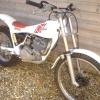
March 22, 200818 yr Hi Ive just bought a Yamaha TY250 Monoshock thats got Aprilia forks and front disk brake wheel in. I intend to convert the bike back to standard Yamaha and was going to put the Aprilia forks on e-bay but could do with some help in identifying which Aprilia they are from. The bike has the original Yamaha triple tree so the forks must be same diameter as Yamaha 35mm I think. Link for image http://i262.photobucket.com/albums/ii102/D...et/DSC04466.jpg Thanks in advance Regards Tim
March 22, 200818 yr The forks are from either a 1987 TX, or a 1988 TXR, both models using the same forks/wheel.
March 22, 200818 yr Author Thanks for the quick response. Have you any idea what they are worth - chrome is very good only a few tiny tiny marks. Cheers
March 22, 200818 yr Make sure you have sourced a pair of TY forks before you list your bits on the bay. TY forks are becoming hard to find in good condition. If the Aprillia forks are okay why don't you keep them as it's a mod that puts the bike in the same league as a Pinky. You will want a wheel as well and they are scarce. I bought a mono in bits just for the forks and wheel for my Majesty. I could do with finding a Pinky with a shot motor now as I have a motor itching to find a chassis.
March 22, 200818 yr Author HI I've already sourced a good TY250 front end with disc brake setup. Might be able to help with a bare TY mono frame - give me a ring on 07852 976177 if you are interested. Cheers
March 22, 200818 yr Would have been worth more a couple of years ago when people were modifying their t/shock bikes to disc brake, not now though as no discs allowed anymore.


Join the conversation
You can post now and register later. If you have an account, sign in now to post with your account.