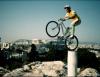
July 15, 200818 yr Here's a funny picture of Pat on a Honda 50. I also saw him riding this around at the Youth Nats. Also, check out this site. It's pretty neat! http://hondatrialstalk.com/index.php?topic=45.0;topicseen
July 17, 200818 yr Author I can't see any picture. Crap, seems like you have to log in. In order to see the picture. Weird.
July 17, 200818 yr I wish I'd thought to video it. He rode that thing through a pretty nasty section, clean of course! Not really what I would have had in mind for a Honda Trials bike! Edited July 17, 200818 yr by Brian R
July 17, 200818 yr We love our Honda Z-50 pit-bikes. Here's Max and I dicing at a recent mini-moto held on the Smage farm. The course was a circle 8. In the middle of the criss-cross was a 50 lb punching bag being swung at the racers as a extra obstacle of the race. Truly insane stuff. Patrick's smart enough not to get involved and chooses to watch (and laugh) from the sidelines instead.
July 17, 200818 yr Nice parental example, hey? Noel and I go head-to-head on the track. Why should the kids have all the fun. Oops, almost forgot photo credits. Photo by Dan Salton. Above photos by Bill Smage. Edited July 17, 200818 yr by City Trials


Join the conversation
You can post now and register later. If you have an account, sign in now to post with your account.