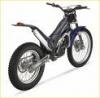
December 29, 200817 yr Hi, had the bike going today, the first time properly since buying it as it needed a bit of tlc, anyway after some 20 mins riding it started to overheat(steam from the rad), first thing I noticed was the cooling fan was not running, which I assume it should be, all connections etc are ok as I checked when the tank was removed. Does anybody have a wiring diagram for this?? bike is a 2001 txt280 or maybe something common to check which goes on these? cheers in advance.....
January 20, 200917 yr try bypassing the thermostat switch and kick the bike over and if the thermostats ok the fan will come on immediatly when you kick it over, also remove the fan and put 12v power straight into the fan to see if it works, get an electric multimeter and do a continuety test across the thermostat whilst holding the thermostat in boiling water and if its ok a beeping noise will sound on the multimeter.. if the fan works and the thermostats ok then the fan rectifier is knackered, ( the rectifier is the little square black box attached to the fan cowling ).. hope this helps


Join the conversation
You can post now and register later. If you have an account, sign in now to post with your account.