February 16, 201016 yr Just curious if anyone has ridden both and could elaborate on the differences of each? Power, handling, positive and negatives of each. Sometimes more doesn't necessarily mean better. Is this the case with these?
February 16, 201016 yr http://www.tmxnews.co.uk/content_database/beta_evo_4t/index A link to a TMX review of the Evo 4T,both 250 and 300
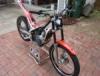
February 16, 201016 yr Can't comment on the 300, but I have the 250 only just started riding trials and been off the bike for a number of years because of a serious bump, but I love mine, finds grip anywhere pulls like a train where needed, haven't had any issues starting it when hot, nice and quite so can practice anywhere all round awesome bike, mates who have a go are green with envy, would recommend to anyone.
February 19, 201016 yr I've got the 250 4t evo and love it but I really struggle with making it grip, once it gets hold it's superb but from a standstill - hmmmmm!!!! It's fitted with dunlops which probably doesn't help so I'm thinking of fitting a new rear, any thoughts would be appreciated, especially re the x lite. A friends just put an IRC on his 2t but is struggling to get it to seal properly, is this common? Cheers for any advice....
February 20, 201016 yr IRC all the way , keep off the revs when setting off mine will out do my mates mont for grip everytime because of the smoothness


Join the conversation
You can post now and register later. If you have an account, sign in now to post with your account.