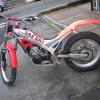
August 8, 201214 yr my gas gas jt 25 350cc keeps overheating!wen i give it sum short half throttle bursts the coolant shoots out of the over flow pipe on the radiator.can any one help as i am new 2 trials bikes and dont know wat the problem is
August 8, 201214 yr check if fan is working ,check impella on water pump for damage (make sure it turns when engine turns ) , check correct plug fitted , check brakes not sticking , check head and replace o rings or gasket which ever it has ,also make sure radiator core is clean and sound ,check colour of plug to ensure not running lean
August 9, 201214 yr Had the same thing back in the 90's with a 350. It was a faulty radiator pressure cap, the rubber seal had failed allowing pressure to escape hence the system overheated really easily. I changed the cap (after trying everything else) and that sorted it. Take a good look at the cap before you do anything else, it won't cost you anything to look if it's ok. Pete
August 9, 201214 yr Overheating is a common complaint on that bike. Check all components and change to Evans coolant.
August 11, 201214 yr Author thanks alot guys i checked the rad cap n sure enough it was split so i changed the rubber and it seems to have cured the problem but will know for sure when i ride it tomorrrow.thanks again guys


Join the conversation
You can post now and register later. If you have an account, sign in now to post with your account.