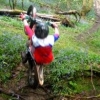
December 27, 201213 yr just practicing in our woods. Gas Gas 125 2007 gopro hd hero 2 make sure you turn the quality up to 1080p for best playback.
December 27, 201213 yr Author heres a slo mo of that hill in the summer http://www.youtube.com/watch?v=0JBDhI-G1DY&feature=youtu.be
December 27, 201213 yr Author its a shame the gopro cameras dont show how steep the hills actually are:(
December 28, 201213 yr Hey, Ben! Neat ridng, Ben!! Like you said, sometimes these GoPros don't do justice to the steepness of what we ride. And then there are some videos, where folks ride narrow ridgelines that drop off sharply on either side of these paths, and it makes those trails look like the most dangerous rides on the planet! I'm curious. What editing software are you using? For me to upoad a video to youtube that I want to put a title or text in, slow motion, or whatever, I have several steps to go through. I have to use one program to convert my GoPro files to .avi files. Then, I can use Windows MovieMaker. I'd like to get another editing program that will accept files straight from my GoPro...... Jimmie
December 28, 201213 yr Author hi jimmie! thanks for your comment i use imovie which doesent work on windows computers. i am sorry i cant really help you as i am no good whith windows as we use apple. youre right about the gopro thanks again, ben
January 6, 201313 yr here up north (finland) winter is a bit different... and training isn't always so simple and easy. it's not me, just found the video http://www.youtube.com/watch?v=gtlaXlVexKE chorus of the song goes something like this: "there that weird man rides again. he claims that he's happy. everybody knows him, the lonely moped man on his way..."


Join the conversation
You can post now and register later. If you have an account, sign in now to post with your account.