September 7, 201313 yr I was given (borrowing) a TY80 for my kids to use. I pulled it out of a storage shed and glaring at me are very poor condition, rusted fork sliders. I did a quick look on ebay and did not see anything. This led me to wonder if any of the other small, 80cc Yamahas of that era might share the same forks or sliders that would work for this bike. Before I start looking up part numbers in the old online Yamaha parts catalog I thought I would see if anyone out there has come across this information. Thanks,
September 15, 201313 yr Author Cheap Cycle Parts ain't so cheep. http://www.cheapcycleparts.com/products/1025978 For that price I could have the entire bike gold plated. Geez...
September 15, 201313 yr Is there anywhere like this in the US where you could get them refinished ? http://www.pittedforks.co.uk/
September 16, 201313 yr How bad is the rust? If only minor pitting you can clean up with steel wool. It will shorten the seal life because of the pitting but may be OK for a while. If the rust is bad, then it is time to replace or rechrome.
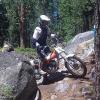
September 17, 201313 yr Author As I said the bike was lent to me. I spent about an hour cleaning it up and, yes, I took some scotch brite to the forks and while they are severely pitted I think they will serve the purpose of having one of the kids (or both) compete in upcoming trials events. The bike has no tags so it won't be ridden at any of the public areas here in California. Before riding I cleaned out the fuel system. I found the pilot jet clogged with a rock (pebble?) that I could not dislodge so I ordered a new one and the little bike fired right up. I had a blast riding it around the front yard. While I don't own the bike I am really pleased to finally have a TY250, -175 and -80 in my stable. Thanks,


Join the conversation
You can post now and register later. If you have an account, sign in now to post with your account.