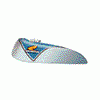
July 2, 200521 yr A pic of my new baby!!! Fantic 125 pro, have just finished giving it a bit of a tidy, paint stickers etc. It is very original including the stightly bizarre shaped standard bars ( may not stick with those ) and the lever/cable protectors. Just passed it's MOT so now to get it dirty tommorow, will be a nice rest from wrestling the TL250. Any one any ideas on bigger footrests for one of these?.
July 2, 200521 yr Author Thanks John, sods law the trial will be deep mud and big hills and I will wish I took the Honda!!!!!!!!
July 2, 200521 yr looks good... incidentally, anyone know where to get 1 side only of the tank "badge"..assuming the ones on the 125pro are same as for my 240.?? S.M.
July 2, 200521 yr the proper moulded ones are next to impossible. Thought as much, thanks anyway RS. S.M.
July 3, 200521 yr Author Hi Honda RS I would be interested in a pair, mine are just the stickers, I will try moving the bars today but they have quite a sweep back so moving them fowards may give a bit of a cowhorn effect!, I feel a pair of renthals coming.
July 3, 200521 yr Author Trial went well, power was suprising, I'm not really 125 size but still no loss of power, just needed to twist the grip further. Was in a hurry so didn't have time to move bars foward part way through, will try at the next trial but I do agree the front end didn't feel quite right. Didn't have to do that on my 200 in the early 80's, probably tied in with larger diameter of modern tyres???????.
July 4, 200521 yr Just ordered a pair of moulded tank badges from Bill Pye, he said he's got about 50 pairs left.


Join the conversation
You can post now and register later. If you have an account, sign in now to post with your account.