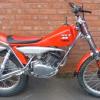
July 6, 201412 yr Hi All just finished my Godden framed Majesty 175 Retro parts fitted Boost bottle Girling Gas shocks ( well NJB Trix Shocks painted to replicate) Original speedo still fitted (and Works) Re positioned handlebar mount Great little bike
July 6, 201412 yr What a great restoration job. Have you lengthened the swing arm or is it standard, which exhaust is used & how did you change the handlebar clamps?
July 6, 201412 yr Author Thanks, Standard swinging arm .Cut the handle mounts off and re-weld in the upright position. Exhaust front pipe is from a chap from the Aqueduct trials club he may have some left . the rest is WES system
July 7, 201412 yr Author Thanks Roester, It turned out better than I thought, I did a full on 100% refurb on my Whitehawk 200 and mainly used parts that I had accumulated from that project.
July 8, 201412 yr Well done. Have you run it with the boost bottle, any change to the way the engine runs?
July 8, 201412 yr Author Well done. Have you run it with the boost bottle, any change to the way the engine runs? Thanks, Sorry when I got the bike it had not run for a long time so I don't know what difference it has made. The engine does run well and feel responsive but I don't know how much can be put down to the boost bottle or the porting or the carbon reeds exhaust etc... But I love the look difference or no difference the retro look is great .


Join the conversation
You can post now and register later. If you have an account, sign in now to post with your account.