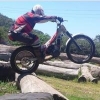
December 18, 201411 yr On my 2010 Beta evo 125 I've noticed that my idle starts to drop (not stall) when the bike is pointing downhill on a steep camber, is this normal? (new to trials, not sure if this normal)
December 18, 201411 yr Yes it's normal for an Evo to do this. As far as I'm aware it's to do with the angle that the carb is mounted at I.E it's nose down on the bike anyway. I have even had my bike stall/cut out before. Just turn the tickover up a little bit if your finding it a problem.
December 18, 201411 yr Yes same problem if you park your Beta downhill it will flood and take a bit more to start?
December 18, 201411 yr Author Yes it's normal for an Evo to do this. As far as I'm aware it's to do with the angle that the carb is mounted at I.E it's nose down on the bike anyway. I have even had my bike stall/cut out before. Just turn the tickover up a little bit if your finding it a problem. Thanks for the reply! I thought as much, the angle of the carb is aggressively titled forward. I just opened the carb to just make sure the floats are positioned correctly and I noticed the floats are not level (with each other) so I fixed that up. This did help improve the situation from the quick testing I performed with lifting the rear wheel a few feet of the ground but I'll need to check it out on the trail. I'll also have a play around with the idle tick over. Thanks again Yes same problem if you park your Beta downhill it will flood and take a bit more to start? Not sure if it's just the downhill or if it's flooded but I do find it hard to start it again on the downhill.


Join the conversation
You can post now and register later. If you have an account, sign in now to post with your account.