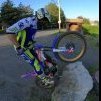
October 23, 20178 yr Hi all, I have been working a lot on Fakies (roll backs) and am coming to a point that I have a decent balance! for instance after doing a nose wheelie or simply stopping on a steep hill, I can usually reverse for 5 yards or so without a problem, What I m struggling with is to do a 180. I use to be able to do these in a mountain bike or BMX but somehow the technique is not quite the same. Does anyone have tips for me? ant trick riders out here? I have been trying to keep my weight far back and in the opposite side of which the bike is leaning, but I could use some tips. Unfortunately there are no tutorials for this technique online. If I learn it well I wanna make one.. Thanks
January 10, 20188 yr Quote What I m struggling with is to do a 180. You could try a deliberate foot, and pivot around it, until you get the exact 180. .
February 21, 20188 yr The secret with fakies is leaning the bike into the ground to speed up the rotation. The more you lean the bike, the faster the rotation will occur. So, endo, roll back, turn the front wheel to the right, bike will initiate fakie turn, then smoothly drop the bike down further to the right and you'll speed up the process. I hope that helps!
February 23, 20188 yr I think the advice Sammy gave is sound although this isn't something I tried. Also remember to turn your head and eyes when you turn the bars into the 180, since the bike tends to follow your eyes this may help.


Join the conversation
You can post now and register later. If you have an account, sign in now to post with your account.