May 20, 20188 yr I was looking for some help please.... Im rebuilding a 1981 Black engine 250 Beamish Suzuki and would like to know what size rear shocks ( how long in cm or inches please ) are been fitted to your bikes and which spark plugs seem to work best ? Thanks for any feed back.
May 21, 20188 yr The plug I use in mine is an NGK BR7EIX Iridium. Bike runs great on them, been using them the last 2 years with no problems. The Shocks are 340mm(34cm) The OZO expert trials shocks work really well on my Beamish, they are a good price also from Inmotion trials shop Edited May 21, 20188 yr by shakennstirred
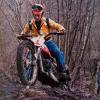
May 23, 20188 yr Author Hi Shakennstirred thank you for the tips i have ordered the spark plug, I have some rear shocks which are 360mm which i will try first hopefully they will be ok, Your bike looks better than new and I really like the works colours on you bike.
May 24, 20188 yr thanks, yes i like the colour also. she runs really nice, i have that iridium plug,hy-tech reeds(they are TY250 reeds but there a straight swap) and a ramair high flow air filter . it pulls like a train and has been 100% reliable the 2 years i have owned it, its used in trials every month so getting a lot of use. the 360mm will probably make the chain rub on the swingarm, so get a protector for the owners club if you intend to keep them on.


Join the conversation
You can post now and register later. If you have an account, sign in now to post with your account.