December 4, 20205 yr Is that cumulative altitude, or lowest point to highest? Because if it could make it up 4000 feet on a charge that's impressive, 2000 up and 2000 down less so. Still, if there's a lot more in there to come it's a promising start
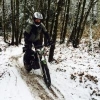
December 14, 20205 yr Author Another nice 2-Escape ‘R’ ride yesterday. It is pretty fun having two electric bikes, so quiet. Did about 13 miles (mostly very tight singletrack) lots of elevation changes and 2.5 hours of actual riding time. High 30º f (~ 3.5C) The batter indicator claimed about 50% charge at the end. I suspect we could not have done the same ride again on the charge. It appears riding on the road, even under 20mph draws the power pretty quickly. Tomorrow I should have the license plate, so I’ll have to try a little ride on just road (with tyres pumped up) and see how it does. (Still waiting on replacement display, so will have to use GPS for distance/speed)
February 14, 20215 yr Author Still having lots of fun on the Escape R. With the cold weather, range is less than I was hoping. But I will see when it warms up. It is a LOT better if everyrthing is slow trials or trial type stuff (1-5mph). Any road riding, even under 20mph seems to really lower the battery fast. the FRB (fixed regenerative braking) does seem to help and make a really good ‘thumb’ rear brake. Very effective.


Join the conversation
You can post now and register later. If you have an account, sign in now to post with your account.