sgtrials
Members
-
Joined
-
Last visited
-
When I use to workout.. I rode MTB as well, mostly for fun, but for exercise as well. Some light weight training and stationary bike riding during the winter
-
Thanks guys! Going to check out those websites and try to attend both those events
-
The Fantic Fold! I like it. Bought from Mike. Plan to take lessons soon.
-
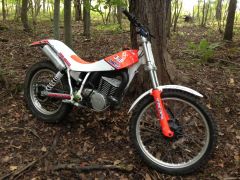
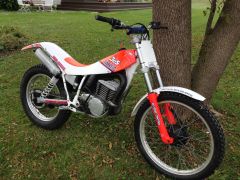
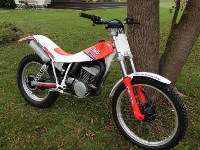
Just bought my first trials bike, a 1990 Fantic 247 (w/ 305 graphics) converted to twin shock. Another forum member (forgot who) did the work a few years back, I just picked it up from my local trials shop. Converted to run a local air cooled / drum / conventional fork / twin shock class. I'm in the central New York area. Having fun putting around my backyard. Going to attend events next season. Let me know if you're in the area!
-
Just wanted to introduce myself. Just bought by first trials bike, a 1990 Fantic 247 converted to twin shock. Another forum member (forgot who) did the work a few years back, I just picked it up from my local trials shop. Converted to run a local air cooled / drum / conventional fork / twin shock class. I'm in the central New York area. Having fun putting around my backyard. Going to attend events next season.
-
1990 Fantic 247 Twin Shock Convert by someone else 305 graphics Convert to twin shock/ drum brake setup to run local "twin shock" class