February 5, 200521 yr E we rode reet bikes when I wer a lad, bloody gloves what's thi need those fer thi soft bugger.
February 5, 200521 yr GREAT pic ishy. And dont they always look better in black and white eh!? I wish I was a bit better with a camera, 'cause I like pictures of people...but hate "posed" pictures. In trials...if you catch the moment, you can get some of the best smiles...AND grimaces that you'll ever see.
February 5, 200521 yr GREAT pic ishy. And dont they always look better in black and white eh!?I wish I was a bit better with a camera, 'cause I like pictures of people...but hate "posed" pictures. In trials...if you catch the moment, you can get some of the best smiles...AND grimaces that you'll ever see. Or if you photograph Perce you get the obligatory tongue sticking out I did think of converting some of last year's pre-65 to B&W or even sepia tones to see how they looked, but never got round to it.
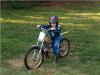
February 5, 200521 yr Author Neat thing is I just took a picture of the picture with the trusty handy dandy digi cam and posted it on here, quite supprised how well it turned out
February 5, 200521 yr Neat thing is I just took a picture of the picture with the trusty handy dandy digi cam and posted it on here, quite supprised how well it turned out That's bloody good for a photo of a photo.
February 6, 200521 yr It is true though, that if you stick yer tongue out, it helps you to concentrate more. Looks real cool too!!


Join the conversation
You can post now and register later. If you have an account, sign in now to post with your account.