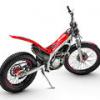
March 20, 201115 yr Hi, I have just purchased a 1992/93 Beta zero/gara for my son, I was tolded that its a 125cc but is there any way of confirming this ?
March 22, 201115 yr Have him grab a wonking big handful of throttle. If it waits a second then loops out it's a 125. If it loops out immediately it's a 240. If it loops out and keeps cartwheeling it's a 260. Sorry couldn't resist. You should be able to tell just by riding. If it can pull third gear off idle it isn't a 125. The 125s need some throttle before they get going. They'll go up big stuff but they require a liberal use of twist grip.
March 23, 201115 yr Have him grab a wonking big handful of throttle. If it waits a second then loops out it's a 125. If it loops out immediately it's a 240. If it loops out and keeps cartwheeling it's a 260. Sorry couldn't resist. You should be able to tell just by riding. If it can pull third gear off idle it isn't a 125. The 125s need some throttle before they get going. They'll go up big stuff but they require a liberal use of twist grip.
March 25, 201115 yr There is a method to that madness. A 125 will take time to build revs to get into the powerband, the 250 had quicker response then the 260 because it had less flywheel weight on the crank and the 260 will hold revs longer because of the additional flywheel.


Join the conversation
You can post now and register later. If you have an account, sign in now to post with your account.