January 21, 201214 yr Looks good! That should help take a few points off your score. Each to their own but I'm afraid that is my attitude also to spending money on that sort of thing. If I was young and rode in conditions where they might last more than ten minutes I could think differently.
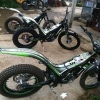
January 21, 201214 yr looks a bit odd especially as the rims already have writing on them and you can still see it..
January 22, 201214 yr the writing on the wheels isnt on the edge its up where the spokes come through the rim, a s3 rim tape set would cover the writing but not ones like these jsp Edited January 22, 201214 yr by jsp
March 21, 201214 yr Looks fantastic, can you tell me about your upper and lower fork protectors? Are they an off the shelf item or have you modified something for the upper?


Join the conversation
You can post now and register later. If you have an account, sign in now to post with your account.