

Skip to content
View in the app

A better way to browse. Learn more.

Trials Central

A full-screen app on your home screen with push notifications, badges and more.

To install this app on iOS and iPadOS
  1. Tap the Share icon in Safari
  2. Scroll the menu and tap Add to Home Screen.
  3. Tap Add in the top-right corner.
To install this app on Android
  1. Tap the 3-dot menu (⋮) in the top-right corner of the browser.
  2. Tap Add to Home screen or Install app.
  3. Confirm by tapping Install.

sunlingkau

Members
  • Joined

  • Last visited

  1. nice one .....................
  2. nice one ............
  3. congrats ! and enjoy your explorer
  4. sunlingkau replied to kbtrials's topic in OSSA
    congrats
  5. yes..................
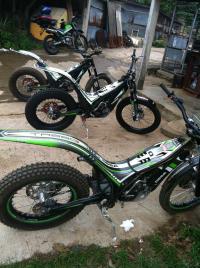
  6. i owned 2012 standard bike with options red cylinder head plus map switch, also a factory replica 2012. just sold them and now brought the brand new explorer ! however I considering buy one more 2013 TR280i !
  7. thanks for your info, i deeply love my explorer , factory replica 2012
  8. sunlingkau replied to paul_stuart's topic in OSSA
    support
  9. 2013 April - May ......... .......
  10. super happy with my explorer !
  11. nice moved
  12. sunlingkau replied to deonattard's topic in OSSA
    what's that ? looks not the oil + water
  13. sunlingkau replied to digga's topic in OSSA
    no idea , any web site , link , photo ?
  14. sunlingkau replied to frogger's topic in OSSA
    pakelo lubricants - fully sync 2T , and pakelo mbk 75W fully sync
  15. sunlingkau replied to beatabeta's topic in OSSA
    jsp, i took out the LSS of my factory week ago due the switch not contact well, my dealer replace it with the original capacitor. my bike runs very well with new map ! without LSS ! but my brother's standard bike 2012 TR280i , and my explorer keep the LSS !

Account

Navigation

Search

Search

Configure browser push notifications

Chrome (Android)
  1. Tap the lock icon next to the address bar.
  2. Tap Permissions → Notifications.
  3. Adjust your preference.
Chrome (Desktop)
  1. Click the padlock icon in the address bar.
  2. Select Site settings.
  3. Find Notifications and adjust your preference.