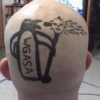
February 2, 201412 yr OK here we go. Team WGASA is looking forward to the 2014 Trials season. So much so that we started training on 26 January 2014 at our super secret indoor training compound (one of the members has a building we ride in). This Buidling is great for our use, we ride on the second floor so there is a stairs obstacle and it is well ventilated.....read that as no glass in the windows. Also there is no heat.........the day these videos were taken it was a balmy 11 degrees F (-11.5 C for our European friends) So some of the "smoke" you see in the videos is actually me breathing. Info on vids, I am using a Go-Pro wanna be made by Vivitar (actually works pretty good) mounted to my helmet. The other guys ride much better than I do, and the videos themselves tend to have some boring bits in them because I still need to learn how to edit etc..... warning there is a swear word or two in one of the vids. but sound is so low because of the waterproof camera holder blocking the microphone. We had a balanced group of bikes, 2 GasGas and 2 Beta. Enjoy???
February 2, 201412 yr Hey zippy, go-pro have some free editing software on their website that is pretty easy if you need some
February 2, 201412 yr Author Hey zippy, go-pro have some free editing software on their website that is pretty easy if you need someI will need to go take a look!!!
February 3, 201412 yr No need to edit. I enjoyed the blowing in snow and riding around the pool table!!
February 3, 201412 yr Yeah, I thought it was a great video. A really good place to practice really. I would love a set-up like that to play around.
February 3, 201412 yr Author Thank you for the kind words. It is a great place to practice when outdoors is less than desireable to practice in. Worst part of it is no heat, so for the first hour or so fingers and toes are pretty cold. But once you are moving and warmed up it's not a problem. OK Question, What about the angle of the camera? Is it good or should it be up or down one "click" on the swivel?
February 3, 201412 yr I thought angle was ok. As long as you are looking at the riders, I didn't think anything was missed. It's different filming trials with a helmet cam that enduro. You are always looking so close in front of you when riding trials, I think it is less crucial than in enduro when you are looking 50-100m in front of you all the time. All looked good from my opinion anyway.
February 3, 201412 yr If you want to film while riding obstacles it's better when you have the camera on a chest mount. Gives a better view of the obstacles. Edited February 3, 201412 yr by guys
February 3, 201412 yr Author If you want to film while riding obstacles it's better when you have the camera on a chest mount. Gives a better view of the obstacles. I am thinking about looking into one of those.
February 3, 201412 yr Here's an example with a chest mount: http://www.youtube.com/watch?v=MNo0PP5VKoQ
February 4, 201412 yr Author Hi Zippy, what model of vivitar camera did you use, cheers. Vivitar DVR 685HD Picked it up for about $30 US (not sure if still available, may have been a closeout type thing) It requires a micro-SD memory card (not included) it will accept a Class 4 or higher card up to 32GB. It has 2 modes for video LO and HI. what I shot was done in LO mode with a 2GB memory card that is so old there is no class rating on it (came out of an old phone) So I suspect the quality will improve when I get a better memory card. With some slight modifications it can be used with Go-Pro mounts. Here's an example with a chest mount: http://www.youtube.com/watch?v=MNo0PP5VKoQ That is a much better angle, but does it have to be so muddy if I use a chest mount?
February 10, 201412 yr Awesome vids. Indoors would be nice, although I did go out last weekend in the backyard and practice some with weight transfer for traction in 20cm of snow. It was good for some fun! Great video from a $30 camera though!


Join the conversation
You can post now and register later. If you have an account, sign in now to post with your account.