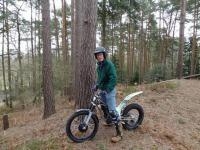
May 22, 201412 yr Somehow I seem to be the invisible man! Does anyone have any pictures of me doing the ssdt this year (only lasted until Thursday!)... Is there anything I can show my peeps back here to prove that it was me in the ssdt? Any pic, no matter how unflattering.....
May 22, 201412 yr Sorry, can't help, have just looked at all my pics and you're missing. Surely Andy has you on file?
May 23, 201412 yr Author Thank you for finding the pictures for me... now I can clearly e plain the crazy wonderful SSDT to those that have no idea of what we getup to and why we keep trying!
December 26, 201411 yr Author Thank you very much! I'm going to be back but maybe to assist the marshalls this year
January 2, 201511 yr Hi Tom.there's clip of you "riding" Lenachan on day one on our wee eastscotland trials forum. It's on the gallery date May 11 titled a wee bit of the ssdt day one. Maybe you can get it on the tube directly and ignore our members complementary remarks, Happy new year


Join the conversation
You can post now and register later. If you have an account, sign in now to post with your account.