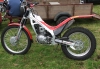
October 22, 200521 yr Out playing today cos our trial was cancelled Anyway i didn't have any gloves on after about an hour i stopped and put my hands on the fuel tank. It was very warm you could hold your hands on it but it was hot enough to worry me. Anyone noticed this on their 4rt?
October 22, 200521 yr yes its not a problem, i thouoght it might be when i rode in france, but all was fine
October 22, 200521 yr Author yes its not a problem, i thouoght it might be when i rode in france, but all was fine <{POST_SNAPBACK}> So i'll be able to warm my hands up on it this winter then
October 22, 200521 yr yes its not a problem, i thouoght it might be when i rode in france, but all was fine <{POST_SNAPBACK}> How did your ride in France go?
October 22, 200521 yr The metal tank on the TL250 would get the old gas boiling with no problems, wouldn't give it another thought.
October 22, 200521 yr hasn't got that cold here yet, but will definately keep this in mind..... but don't try to warm your hands on the hearer pipe ...that one gets REAL hot!!!
October 22, 200521 yr france was good ,very good 1 tip NEVER undo the fuel cap with it running ! it could end in tears
October 23, 200521 yr The reason the tank gets warm is because the fuel is constantly recirculating. It doesn't use all the fuel delivered to the injector from the pump, the excess flows back to the tank and as its been under pressure, and also close to the engine, it naturally gets warmer and eventually warms the tank, though it's less noticeable on a cold day - naturally.
October 24, 200521 yr After 2 hours of riding, I even have a warm handlebar, I also have an engine flat out in summertime, have to splash water onto the pulser next to the flywheel magneto to have a continuous ride.


Join the conversation
You can post now and register later. If you have an account, sign in now to post with your account.