November 26, 20187 yr Hi, my solenoid failed... Seized and shorted out internally which caused flooding and a slow running fan. I took it apart but there's nothing that you can do with it really. New solenoid for a 2013 was £120 I think... I machined an adapter plate and fitted a fuel tap directly to the tank outlet. Bike runs fine. Still floods if it's been on its side but no different to my sons 2014 4t with a working solenoid. We find on both bikes that if it doesn't restart after a couple of kicks then it will if you keep the throttle wide open.
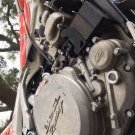
November 26, 20187 yr Author 8 hours ago, thall1 said: Hi, my solenoid failed... Seized and shorted out internally which caused flooding and a slow running fan. I took it apart but there's nothing that you can do with it really. New solenoid for a 2013 was £120 I think... I machined an adapter plate and fitted a fuel tap directly to the tank outlet. Bike runs fine. Still floods if it's been on its side but no different to my sons 2014 4t with a working solenoid. We find on both bikes that if it doesn't restart after a couple of kicks then it will if you keep the throttle wide open. Thanks. Kinda thought it was toast. Anyway, a couple of weeks ago I ordered a manual in-line petcock. I installed it this morning. Worked out pretty well. I found a hanger bolt that sits in a pretty good spot for attaching the petcock. I had to get a longer bolt and a small spacer to fix the petcock in this spot. At least now I can positively shut the fuel off and eliminate my fuel tank from draining. Edited November 26, 20187 yr by markbxr400


Join the conversation
You can post now and register later. If you have an account, sign in now to post with your account.