Skip to content
View in the app

A better way to browse. Learn more.

Trials Central

A full-screen app on your home screen with push notifications, badges and more.

To install this app on iOS and iPadOS
  1. Tap the Share icon in Safari
  2. Scroll the menu and tap Add to Home Screen.
  3. Tap Add in the top-right corner.
To install this app on Android
  1. Tap the 3-dot menu (⋮) in the top-right corner of the browser.
  2. Tap Add to Home screen or Install app.
  3. Confirm by tapping Install.

Seeley photos

Featured Replies

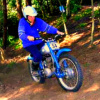
I bought a new Seeley (the black mudguard version) sometime around 1980(?) and have been a fan of them ever since. Spotted a good 'un for sale out here in France a few years back but didn't buy it. However, for some strange reason, I kept some photos of the bike and browsed through them earlier today in one of my 'delete unwanted photos' sessions. I think I'll keep 'em. Would be interesting to see other members' Seeley photos as I think there were a few different versions over its limited production run. Or am I wrong as usual? Anyway, a couple of snaps...

DSC02947.JPG

DSC02963.JPG

I still use mine regularly, although it has grown up into a 250.

20191130_121050 (1).jpg

Join the conversation

You can post now and register later. If you have an account, sign in now to post with your account.

Guest
Reply to this topic...

Account

Navigation

Search

Search

Configure browser push notifications

Chrome (Android)
  1. Tap the lock icon next to the address bar.
  2. Tap Permissions → Notifications.
  3. Adjust your preference.
Chrome (Desktop)
  1. Click the padlock icon in the address bar.
  2. Select Site settings.
  3. Find Notifications and adjust your preference.