November 24, 200916 yr Hello everyone, well after 20 plus years, I finally did it...I just purchased a well sorted TL320. I have been wanting one of these for years. I'm sure I'm going to have a load of questions for you in the future. I have already reviewed all of the SWM posts and I'm getting quite the education. So, a humble thank you is in order for leaving such detailed information in this Forum. I just wanted to take a moment and introduce myself and wish you all the best, Carl...from the East Coast, USA.
November 24, 200916 yr Nice Scooter ! Now put it on a trailer and come down to some of our MTR / ITSA twinshock events and see if you can ride it like Bernie did !!! Check it out here ! Old school no stop rules and all !!! http://metrolinatrials.com/ And here !!! http://itsa.clubexpress.com/content.aspx?p...;club_id=922050 Get out and ride the twinshocks !!! Nice to meet ya ...! Glenn
November 24, 200916 yr nice bike...welcome to the brotherhood, now just get ready for the "what does the SWM stand for"
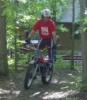
November 25, 200916 yr Author Thanks for all of the comments. Glenn, a special thanks for the invite and the links. I hope to take you up on your offer if you don't mind helping me off the ground from time to time. Johnnyb, I just replied to your PM and sent you an email to your email addy. I did ride the SWM on Sunday, a few friends and I set-up a few small Sections here at the house and I'm amazed and delighted with the bike!!!! 100% different feel and power delivery from the montesa 349. Once again, thanks for the welcome and I'm looking forward to being a regular within this Forum. You guys are the experts, and trust me when I say this. "You are all part of my reasoning in making this great purchase." There is so much great information in this Forum..... -Carl


Join the conversation
You can post now and register later. If you have an account, sign in now to post with your account.