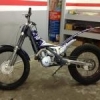
March 3, 201412 yr So this is a 7 minute video of my second outing on the trials bike after 20 years off. It was a good night where I ended up surprising myself a fair bit. I ended the night with a crash off an obstacle which I probably shouldn't have tried yet. The bike ended up with a stuck throttle and revving at full noise for 30 or so seconds until we managed to stop it. I didn't get this on my helmet cam though unfortunately! The guy in the orange that you see a couple of times is Dylan Rees, who is one of Australia's top trials riders, and someone I rode around with as a kid. Luckily I managed to catch him crashing on a simple obstacle, which is always entertaining!
March 4, 201412 yr Excellent, a fun toy, a place to play and friends to play with. It don't get no better.


Join the conversation
You can post now and register later. If you have an account, sign in now to post with your account.