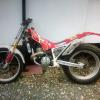
November 14, 201510 yr Just bear in mind its 22/23 years old................. Has it been stood for some time? Recommend a full service and visual check before you ride it. Have fun
November 14, 201510 yr Author Thanks for all the comments and suggestions, my dad already bought the bike for me and I've done a couple of trial experience days! I would of preferred a newer bike to be honest but my dad wants me to wreck an old one first he says! I wanted a Moto x originally but my dad turned my head to trials as he says any one can go fast but there is more art and skill in trials ! I watched a couple of you tube clips and did an experience day and I'm hooked ! No doubt i will need to ask more questions along the way so will probably be on here regularly. My dads a pretty awesome mechanic and has worked on alsorts and wouldn't let me on it if I wasn't right ! Thanks for your info and help guys
November 14, 201510 yr Awesome Jamie. Welcome to the sport. A couple years of trials under your belt will make you a faster rider than just hopping on an MX bike and when the terrain gets ugly you'll have all the more advantage.


Join the conversation
You can post now and register later. If you have an account, sign in now to post with your account.