November 24, 20169 yr Check out this channel for more videos of the Pre 65 trial at Mons: https://www.youtube.com/channel/UCgGyiXGEAGrex9bBcFHKA4A
November 24, 20169 yr Thank you Guys that was a very enjoyable watch. Who was the rider on the white tank bike, was it a two stroke hard to tell when it flew by.
November 24, 20169 yr Author Don't know who it is, but I think he's riding a Triumph twin, sounds like one also. Freeze the video at 5:26 Edited November 24, 20169 yr by guys
November 24, 20169 yr Don't know who it is, but I think he's riding a Triumph twin, sounds like one also. Freeze the video at 5:26 I think you are right Guys, on second viewing it does sound like a twin. Tried freezing the picture but not possible to see details.
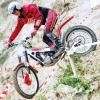
November 25, 20169 yr that hill is a lot steeper than it shows in the picture my big bsa only got up once
November 25, 20169 yr I am not sure about what other people see, but when you look at the angle of the hill in comparison to the trees its crazy steep. You also see a lot of people slipping down the hill most of the video... I would love to run a hill like that on my modern bike just for the fun of it...
November 26, 20169 yr The top of the climb which was hard to see on the video looks even steeper than the main hill, very popular with the spectators too.


Join the conversation
You can post now and register later. If you have an account, sign in now to post with your account.